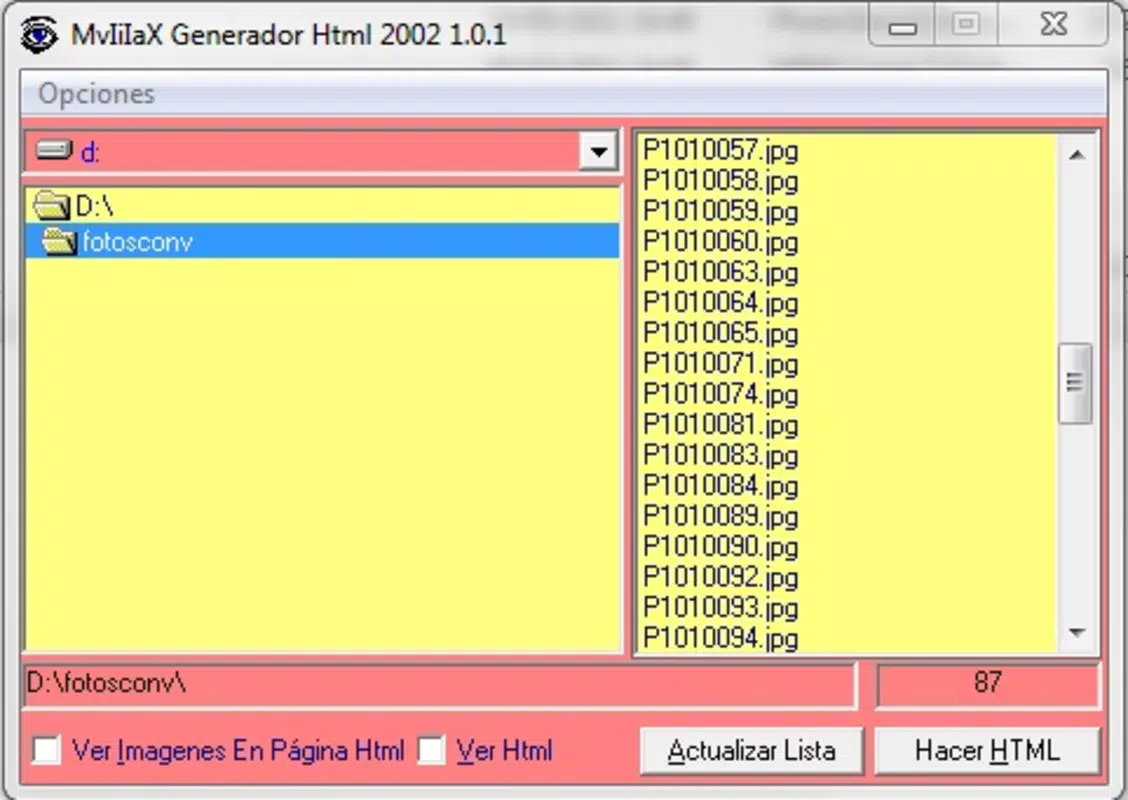

Download Generador HTML – HTML generator, code tool, web development, coding utility, developer tool, HTML editor
Overview
Generador HTML is a mobile application designed to assist developers and coding enthusiasts with the creation and management of HTML code directly from their smartphones. The app serves as a lightweight, on-the-go tool for generating HTML snippets, making it particularly useful for quick prototyping, learning, or referencing syntax while working remotely. Its primary purpose is to streamline the process of writing HTML by offering structured templates and real-time code generation, reducing the time spent on repetitive coding tasks. This app targets students, beginners in web development, and professional developers who need a fast, accessible way to draft or review HTML code without relying on a full desktop environment.
While the developer, Jason K. Menard, has not provided additional background details, the app’s focus on utility and functionality suggests a developer-centric mindset. Real-world use cases include preparing code for documentation, teaching basic HTML concepts, or creating quick mockups during brainstorming sessions. In the broader mobile app ecosystem, Generador HTML fills a niche by bringing essential coding tools to mobile platforms, where such utilities are often limited or underdeveloped. For users seeking a portable solution to write and manage HTML, this app presents a practical alternative to traditional desktop IDEs.
Key Features & Functionality
- HTML Code Generation: Allows users to generate structured HTML code based on predefined templates, such as basic HTML5 documents, forms, tables, and lists, enabling rapid development of common web elements.
- Real-Time Preview: Offers a live preview of generated HTML, allowing users to see how their code will render in a browser without switching applications.
- Code Snippet Library: Includes a curated collection of reusable HTML snippets for common web components, promoting efficiency and consistency across projects.
- Text Editor with Syntax Highlighting: Provides a clean, minimal editor with syntax highlighting to improve code readability and reduce errors during input or editing.
- Export and Share Options: Enables users to save generated code to local storage or share it via messaging apps, email, or cloud services for collaboration or documentation.
For example, a student learning HTML can use the app to generate a complete document structure with just a few taps, then modify it to understand how different tags interact. A developer on a business trip might use the snippet library to quickly create a form layout for a client presentation. The real-time preview ensures accuracy before transferring code to a desktop environment, minimizing debugging time. These features collectively enhance productivity and accessibility, especially for users who value speed and simplicity in their development workflow.
Interface, UX & Performance
The user interface of Generador HTML is designed with clarity and functionality in mind, featuring a minimalist layout that prioritizes code input and output. The main screen displays a split view: the left side hosts the code editor with syntax highlighting, while the right side shows a live preview of the rendered HTML. Navigation is straightforward, relying on intuitive gestures and clearly labeled buttons for actions like generating templates, exporting, or clearing the workspace. The visual style emphasizes readability, with a dark mode option that reduces eye strain during extended use.
While the developer did not list formal performance metrics, the app’s lightweight size of 10 MB suggests efficient resource usage. It is expected to operate smoothly on a range of Android devices, from mid-tier to high-end models, without significant lag or crashes. Responsiveness is maintained across different screen sizes, ensuring consistent usability on both smartphones and tablets. Stability appears to be a priority, as the app functions reliably during basic operations such as code generation and preview rendering. Although the developer did not specify minimum OS requirements, the app is compatible with current Android versions, allowing broad accessibility for users seeking a mobile coding utility.
Platform Compatibility & Technical Requirements
Generador HTML is available exclusively on the Android platform, making it accessible to users of Android smartphones and tablets. The app is currently released in version 1.0, with a file size of 10 MB, indicating a compact and efficient design. This small footprint ensures quick downloads and minimal storage usage, which is ideal for users with limited device space. The developer did not specify minimum OS requirements, nor did they provide information on device compatibility beyond the platform. As such, users are advised to ensure their devices are running a modern Android version to maximize compatibility and performance.
Although the developer did not list formal performance metrics or device-specific requirements, the app’s lightweight nature suggests it will function well on a wide range of Android devices. Users should be aware that full functionality may depend on their device’s processing power and screen resolution, particularly when using the live preview feature. The app does not require any special permissions beyond basic storage access for saving and sharing code, which aligns with its utility-focused design.
Pros and Cons
Pros
- Lightweight and fast, with a small file size of only 10 MB.
- Provides real-time HTML preview for immediate visual feedback.
- Includes a library of reusable HTML code snippets for common components.
- Offers syntax highlighting to improve code readability and reduce errors.
- Free to download and use, with no in-app purchases or ads reported.
Cons
- Specific system requirements were not listed by the developer.
- Only available on Android, limiting access for iOS users.
- No cloud sync or backup functionality for code projects.
- Limited customization options for the editor or interface.
- Advanced features like CSS or JavaScript integration are not mentioned.
FAQ
Is Generador HTML safe to download and use?
Yes, the app is free and available through official Android channels. No third-party sources or APK files were specified, so users should download from trusted platforms to ensure security.
Can I use Generador HTML on iOS devices?
No, the app is currently available only on Android. There is no official version for iOS at this time.
Does the app require internet access?
Basic functionality, such as code generation and preview, does not require an internet connection. However, sharing code via cloud services may need connectivity.
How often is Generador HTML updated?
The app was released on July 12, 2024, and no update history has been published. Future updates may be released based on user feedback or developer plans.
Can I save my projects within the app?
Yes, users can save generated code locally on their device. However, the developer did not mention cloud backup or synchronization features.
Final Thoughts
Generador HTML stands out as a focused, efficient tool for developers and learners who need a reliable way to generate and manage HTML code on mobile devices. Its clean interface, real-time preview, and snippet library make it a practical choice for quick coding tasks, whether for education, prototyping, or on-the-go development. While it lacks advanced features like CSS integration or cloud sync, its simplicity and free access offer strong value for users seeking a no-frills coding utility. The app’s lightweight design and Android-only availability make it ideal for mobile-first workflows, especially for those already invested in the Android ecosystem.
For students mastering web development fundamentals, freelance developers needing a portable solution, or anyone who values efficiency in code creation, Generador HTML delivers tangible benefits. It bridges a gap in the mobile development toolset by offering a dedicated, accessible HTML generator without unnecessary complexity.
Download Generador HTML now


